

What Causes Sciatica Pain in Leg and Foot? A 2026 Guide
What causes sciatica pain in leg and foot? Learn about nerve root compression, herniated disks, and when to see a doctor. Find relief and start recovery.
Read More →
Last Updated: September 9, 2026
Sciatica pain is the radiating discomfort traveling from the lower back through the buttock and into the leg, often caused by compression or irritation of the sciatic nerve. For millions of professionals seated eight or more hours daily, desk work creates a perfect storm of prolonged pressure, weakened postural muscles, and repetitive strain that aggravates nerve root compression. This guide explains how to fix sciatica pain for desk workers through practical ergonomic adjustments, targeted movement, and sustainable workplace habits.
The core problem is static sitting without relief. Extended sitting sustains pressure on lumbar discs, and tight hip flexors pull the pelvis into an anterior tilt, narrowing spaces where nerve roots exit the spine (peer-reviewed research). You can interrupt this cycle with deliberate changes to your workstation and routine, outlined below.
Desk work aggravates sciatica pain through sustained nerve compression and weakened muscular support. When you sit for long stretches, body weight concentrates on the lumbar discs, and slouching stretches the sciatic nerve beyond its comfortable range, sensitizing it over time.
A common mistake is treating the chair as the sole culprit. The issue involves the entire kinetic chain: tight hamstrings pull on the pelvis, weak core muscles fail to stabilize the spine, and reduced blood flow slows tissue repair. Individual susceptibility varies based on prior injuries, fitness levels, and pre-existing spinal conditions.
The psychological component also deserves attention. When pain becomes a constant distraction, stress rises, increasing muscle tension and pain perception. This feedback loop makes it harder to maintain posture awareness. Recognizing this connection helps desk workers focus on incremental improvements rather than expecting immediate resolution.
The best sitting position for sciatica relief maintains the natural S-curve of your spine while keeping your hips slightly higher than your knees. Begin by sitting at the front edge of your chair, then roll your pelvis forward slightly to exaggerate the lower back arch before relaxing into a neutral posture.
Your feet should rest flat on the floor with weight evenly distributed. Position your knees at a 90-degree angle, not higher than your hips. The monitor should sit at eye level, and the keyboard should be positioned so your elbows rest at approximately 90 degrees, keeping shoulders relaxed.
Adding a lumbar support cushion or rolled towel at the small of the back helps maintain this neutral curve. The goal is a dynamic posture where you shift positions slightly every few minutes, periodically checking that your ears, shoulders, and hips align vertically.
An ergonomic desk setup for sciatica is less about buying the most expensive chair and more about creating a system of support that reduces pressure on your lumbar spine and keeps your sciatic nerve mobile. Here’s how to build that setup, piece by piece.
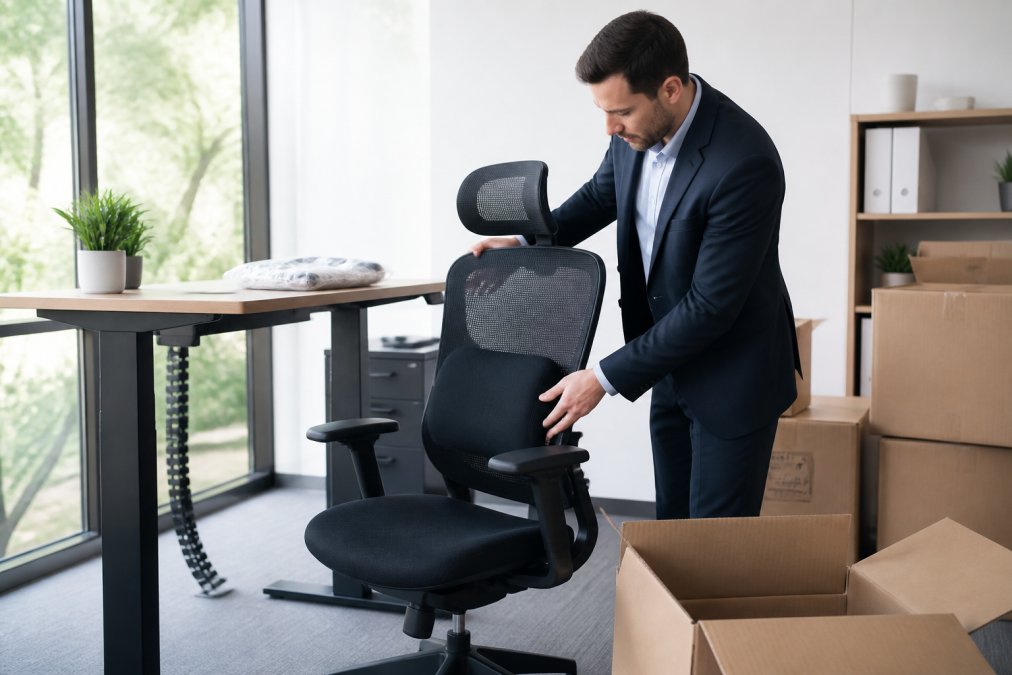
Your chair is your primary support surface for eight hours a day. While a high-end ergonomic chair is ideal, you can retrofit a standard office chair. The most critical adjustment is the seat depth: when you sit back, you should have 2 to 3 inches of space between the back of your knee and the front edge of the seat. A seat that is too long compresses the back of your thighs, restricting blood flow and aggravating nerve symptoms.
Next, focus on the backrest. It should support the natural inward curve of your lower back. If it doesn't provide adequate lumbar support, a dedicated lumbar cushion with adjustable firmness or height, like the Everlasting Comfort or Comfilife models, is your best investment. A rolled-up towel can work in a pinch, but a purpose-built cushion maintains its shape and provides consistent pressure.
A standing desk is a powerful tool for managing sciatica, but only if used correctly. Standing still for long periods simply shifts the problem from disc compression to joint and muscle fatigue. The most effective approach is to alternate between sitting and standing every 30 to 45 minutes. Without a sit-stand desk, create a makeshift standing station with a laptop stand or sturdy books that brings your monitor to eye level.
When standing, the desk height should place your elbows at a 90-degree angle, with your wrists straight. An anti-fatigue mat is non-negotiable for longer standing sessions; it encourages micro-movements that pump blood back to your heart and prevent lower back stiffness. A mat with a beveled edge, like those from Ergodriven or Kangaroo, prevents tripping and allows you to stand closer to your desk.
Your upper body posture directly influences your lower back. If your monitor is too low, you'll hunch forward, increasing pressure on your lumbar discs. The top of your monitor should be at or slightly below eye level, about an arm's length away. If you're using a laptop, you must use a separate keyboard and mouse, as typing on a built-in keyboard forces your shoulders to round forward and your head to jut out.
A vertical mouse positions your hand in a handshake posture, reducing strain on the forearm and shoulder. Similarly, a split keyboard can help keep your shoulders relaxed and your wrists straight.
If your feet don't rest flat on the floor with your knees at a 90-degree angle, you need a footrest. Dangling feet pull on your hamstrings and tilt your pelvis backward, flattening your lower back and increasing disc pressure. A simple, adjustable footrest maintains a stable base; one with a slight incline or rocking motion, like the Mind Reader brand, encourages subtle leg movement.
Before you start work each day, run through this quick checklist to ensure your setup is supporting your spine:
This setup is not about achieving a rigid posture but creating a supportive environment that allows you to move and shift without undue stress on your sciatic nerve. The best ergonomic setup is one you can easily adjust throughout the day.
You should not sit for longer than 30 to 45 minutes continuously when managing sciatica pain (the CDC). Research consistently recommends breaking up prolonged sitting with brief movement intervals, or "movement snacks," to prevent the sustained compression and tissue fatigue that trigger nerve pain flare-ups.
A practical break schedule involves setting a timer for every 30 minutes of seated work. When it sounds, stand up, walk a short distance, and perform one or two gentle stretches for approximately two minutes. For tasks requiring deep concentration, use natural break points such as completing a phone call or finishing a document section as cues to move.
| Sitting Duration | Recommended Action | Impact on Sciatica |
|---|---|---|
| 0-30 minutes | Maintain neutral posture, shift weight regularly | Minimal nerve compression |
| 30-45 minutes | Stand, walk briefly, perform one stretch | Relieves disc pressure |
| 45-60 minutes | Take structured 2-3 minute movement break | Prevents stiffness onset |
| 60+ minutes | Stand or walk for 5+ minutes | Reduces flare-up risk |
These five exercises to ease sciatica pain at work require no special equipment and only a few minutes each. They focus on nerve mobility, hip flexibility, and core activation, the three areas most responsible for sciatic nerve irritation in seated workers.
Seated Nerve Glide: Sit tall with your affected leg extended straight. Gently point and flex your toes while simultaneously nodding your chin toward your chest and lifting it back. Perform 10 slow repetitions. This nerve flossing technique promotes smooth nerve movement without aggressive stretching.
Chair Piriformis Stretch: While seated, place your ankle across the opposite knee. Keep your back straight and lean forward slightly until you feel a deep stretch in the buttock. Hold for 30 seconds and repeat on each side. This targets the piriformis muscle, which lies directly over the sciatic nerve in many individuals.
Standing Hamstring Stretch: Place your heel on a low stool or chair seat. Hinge forward from the hips with a flat back until you feel tension behind the thigh. Hold for 30 seconds per leg. Hamstring tightness pulls on the pelvis and increases lumbar flexion, aggravating nerve tension.
Desk Chair Spinal Twist: Sit sideways on your chair, then rotate your torso toward the backrest, using your hands for gentle use. Hold for 20 seconds per side. This restores mobility to the thoracic spine, reducing compensatory strain on the lumbar region.
Standing Pelvic Tilt: Stand with your back against a wall, feet hip-width apart. Flatten your lower back against the wall by tilting your pelvis posteriorly, hold for 5 seconds, then release. Perform 10 repetitions. This exercise strengthens the deep core muscles that stabilize the lumbar spine during prolonged sitting.
A sciatica flare-up at work is a unique kind of misery: the pain is sharp, distracting, and often accompanied by anxiety about making it through the next meeting. Managing it effectively requires a three-part strategy: immediate physical intervention, discreet in-office tactics, and a pre-planned communication strategy.
When the first sharp twinge hits, resist the instinct to freeze. Sitting rigidly in your chair, bracing against the pain, increases muscle tension and can worsen nerve irritation.
You can't always leave your desk. For those times, you need a toolkit of subtle movements that can be done while you're on a call or working at your computer.
A significant source of stress during a flare-up is the fear of being judged for needing to move or take breaks. This is where a pre-planned communication strategy is invaluable. You don't need to share every detail of your medical history, but you do need to be clear about your needs.
When you request an accommodation, such as a standing desk or more frequent breaks, frame it in terms of productivity and performance, not just pain. For example, you might say:
"I've been dealing with some lower back issues that are aggravated by long periods of sitting. To maintain my focus and productivity, I'd like to request a sit-stand desk converter and the ability to take a 2-minute walking break every hour. This will help me manage my discomfort and stay on task."
This approach is professional and focuses on the outcome (productivity) rather than the problem (pain). It's also helpful to have a conversation with your direct team about your needs. A simple, "Hey, I have a back issue that requires me to stand up and move around periodically. I might be pacing in the back of the room during meetings," sets expectations and removes the awkwardness of having to explain yourself in the moment.
After a flare-up subsides, don't immediately jump back into a marathon work session. For the rest of the day, be extra vigilant about your posture and take movement breaks every 20-25 minutes instead of 30-45. If the pain is severe and doesn't subside, it is appropriate to ask to leave work early; pushing through can set you back weeks in recovery.
Building a sciatica-safe routine requires consistency rather than intensity. Combine workstation ergonomics, regular movement breaks, and daily mobility exercises into a sustainable system. Start by adjusting your chair and monitor to support neutral spinal alignment, then implement the 30-minute break schedule.
The exercises above work best when performed preventively rather than only during pain episodes. Incorporate two or three into your morning and afternoon routines, and use the remaining ones as needed when tightness develops. Over several weeks, most desk workers notice reduced frequency and intensity of sciatica flare-ups.
For those who continue experiencing significant sciatica pain despite these workplace adjustments, professional evaluation may be necessary to identify the underlying cause of nerve compression. Chiropractors specialize in diagnosing and treating musculoskeletal conditions affecting the spine and nervous system. We recommend consulting a qualified professional who can assess your specific condition and develop a targeted treatment plan.
Yes. Prolonged sitting increases pressure on the lumbar spine and can irritate the sciatic nerve. A chair without proper lumbar support or slouching can compress the nerve roots. This pressure is a common trigger for sciatica symptoms. Taking regular breaks and using an ergonomic desk setup for sciatica can reduce this risk.
Desk workers with sciatica should take a short movement break every 30 to 45 minutes. These 'movement snacks' should last one to two minutes. Standing, walking briefly, or performing a simple stretch changes the load on your spine. This regular movement prevents stiffness and helps manage nerve pain during the workday.
Sitting still for hours in a slouched position is the worst action. This posture increases pressure on the discs and nerve roots. Also, avoid sitting on a soft couch or a chair without back support. Twisting your spine while seated can also aggravate the nerve. Frequent position changes are essential for relief.
For mild sciatica, work is often possible with adjustments. Focus on your best sitting position for sciatica, use a standing desk for part of the day, and take frequent breaks. If your work involves heavy lifting or constant driving, you may need modified duties. Consult a healthcare professional to determine if your specific tasks are safe.


