

Tennis Elbow Pain? What a Chiropractic Exam Checks First
Outer or inner elbow pain in Montgomery? Learn what a chiropractic exam checks first to tell tennis elbow, golfer's elbow, and referred pain apart today.
Read More →
Last Updated: October 1, 2026
Understanding how to manage back pain while working from home starts with recognizing the factors that don't exist in traditional office settings. When you work from home, you control your environment, but that freedom often leads to poor choices. Most people set up at the kitchen table or curl up on the couch without thinking about spinal alignment or ergonomic workstation design.
The real culprit is sedentary behavior. Sitting for eight hours straight without movement creates muscle fatigue and places constant stress on your lumbar support structures. Your hip flexors tighten. Your core disengages. Your cervical spine drifts forward as you lean toward the screen. Over time, this posture correction deficit becomes chronic pain.
Remote work removes the natural movement that happens in an office, walking to meetings, moving between desks, standing at the printer. At home, you can work for six hours without leaving your chair. This lack of dynamic movement is what separates remote workers from their office-based counterparts when it comes to musculoskeletal health.
The psychological component matters too. When work and home blur together, stress accumulates. Stress tightens muscles. Tight muscles pull on your spine. Before you know it, you're dealing with work-related musculoskeletal disorders that could have been prevented.
Your physical environment determines whether you'll develop back pain or maintain neutral spine alignment. This is non-negotiable. An ergonomic workstation setup prevents problems before they start.
Start with the basics: your desk height, chair selection, and monitor positioning. These three elements control whether your spine stays neutral or gets pulled into harmful positions. Get them wrong and no amount of stretching will fix the underlying problem.
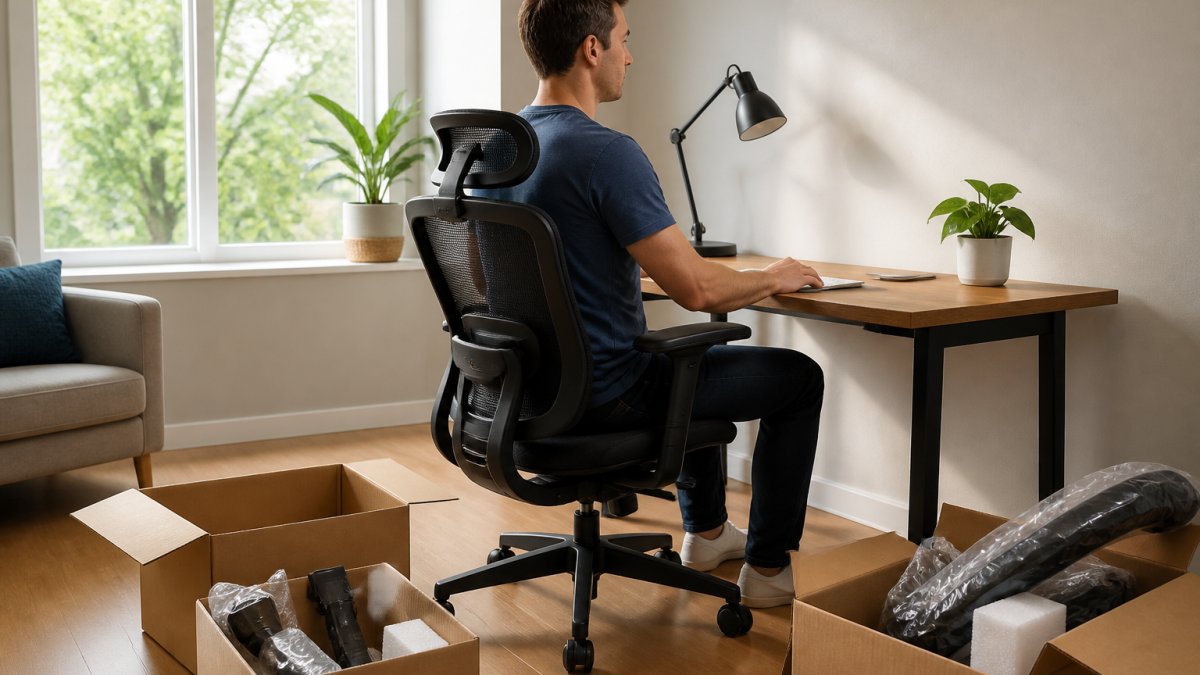
Your chair is the foundation of your ergonomic workstation. A chair without proper lumbar support forces your lower back to work harder than it should. Your lumbar spine has a natural curve, your chair must support that curve.
Look for a chair that allows you to adjust the lumbar support height and depth. Your lower back should feel supported without being pushed forward. When you sit, your feet should rest flat on the floor or a footrest. Your knees should be at a 90-degree angle.
The seat depth matters. Your thighs should be fully supported, but there should be a two-inch gap between the back of your knees and the seat edge. This prevents pressure on the backs of your legs and maintains proper pelvic tilt.
Armrests should support your elbows at desk height. If your armrests are too high or too low, your shoulders will compensate by tensing up. Shoulder blade retraction becomes impossible when your arms aren't properly positioned.
Your monitor should sit at eye level. This is the single most important factor for preventing cervical spine strain. Position the top of your screen at or slightly below eye level when you're sitting upright. Your eyes should look slightly downward, not upward or far downward.
The monitor should be an arm's length away, roughly 20 to 26 inches from your eyes. Too close causes eye strain and forward head posture. Too far and you lean forward to see clearly.
Your keyboard positioning determines whether your wrists stay neutral. Place your keyboard directly in front of you, not off to one side. Your elbows should be at 90 degrees when your hands rest on the keyboard. Your wrists should be straight, not bent upward or downward.
A keyboard tray can help achieve proper keyboard positioning if your desk height doesn't allow it naturally. Your mouse should be at the same height as your keyboard. If you reach for it, your shoulder blade retraction suffers and tension builds.
Sitting for more than 60 minutes without a break creates muscle fatigue and reduces circulation. Your body isn't designed for eight-hour static positions. Movement is medicine.
Take a break from sitting at least every 45 to 60 minutes. Stand up. Walk around. Do a few stretches. Even three minutes of movement resets your posture and reactivates muscles that have gone dormant.
A standing desk can help, but it's not a complete solution. Standing all day creates different problems than sitting all day. The best approach combines both: sit for 45 minutes, stand for 15 minutes, repeat. This pattern maintains neutral spine alignment without overloading any single position.
Set a timer if you need to. Most people forget to move because they're focused on work. A visual reminder forces the break before pain develops.
Your break routine should include:
Stretching counteracts the tightness that develops from sitting. But not all stretches are equally effective. The stretches that work target the specific muscles that get tight when you sit: hip flexors, hamstrings, and the muscles along your spine.
Seated Hip Flexor Stretch, Stay in your chair. Extend one leg straight back, keeping your heel on the floor. Lean forward slightly. You should feel a stretch in the front of your hip. Hold for 30 seconds. Repeat on the other side.
Standing Quad and Hip Flexor Stretch, Stand facing a wall or desk. Pull one foot toward your glutes, keeping your knees aligned. Hold for 30 seconds. This opens up the front of your hip, which gets compressed when you sit.
Seated Spinal Twist, Sit upright. Cross one leg over the other. Place your opposite elbow on your crossed knee and gently twist toward that knee. Hold for 30 seconds. This mobilizes your thoracic spine and relieves tension along your lumbar support structures.
Standing Forward Fold, Stand with feet hip-width apart. Bend forward at the hips and let your arms hang. Don't force it. Just hang there for 30 to 60 seconds. This stretches your hamstrings and the entire back of your body.
Chest and Shoulder Opener, Stand in a doorway. Place one forearm on the doorframe at shoulder height. Step forward slightly until you feel a stretch across your chest.
Stretching alone won't fix back pain. You need core engagement to stabilize your spine. Core stability prevents your lumbar spine from shifting under load.
Learning how to manage back pain while working from home extends beyond work hours, how you spend your time after work determines whether your pain improves or worsens. Recovery isn't passive. It requires intentional movement and stress management.
You don't need expensive equipment to create an ergonomic workstation. Simple adjustments cost nothing and work surprisingly well.
Back pain that persists for more than four weeks despite stretching and ergonomic changes warrants professional evaluation. This doesn't mean you've failed, it means your situation needs expert assessment.
Seek help immediately if you experience:
| Strategy | Frequency | Time Required |
|---|---|---|
| Movement breaks | Every 45-60 minutes | 3-5 minutes |
| Stretching routine | Daily | 10 minutes |
| Core strengthening | 3 times per week | 10-15 minutes |
| Walking | Most days | 20-30 minutes |
| Ergonomic assessment | Once initially | 30-60 minutes |
Occupational Safety and Health Administration ergonomic guidelines
American Chiropractic Association information on work-related back pain
Mayo Clinic guide to back pain prevention and management
Start with ergonomic adjustments: position your monitor at eye level, keep your keyboard and mouse close to your body, and use a chair with lumbar support. Take breaks every 30-45 minutes to stand and move. Perform gentle stretches throughout the day, focusing on your hip flexors, hamstrings, and thoracic spine. Strengthen your core with simple exercises like planks and bridges. Apply heat or cold therapy as needed, and consider post-work recovery routines such as foam rolling or gentle yoga to reduce muscle fatigue and promote spinal alignment.
Aim to take a break every 30-45 minutes. During each break, stand up and move for at least 2-3 minutes. This interrupts sedentary behavior and reduces repetitive strain on your musculoskeletal system. Movement could include walking around your home, doing light stretches, or performing dynamic movements like shoulder rolls and pelvic tilts. Regular movement helps prevent joint stiffness, maintains neutral spine positioning, and improves blood circulation, which supports chronic pain management and overall physical activity levels throughout your day.
Yes. Use a rolled towel or small pillow behind your lower back for lumbar support instead of buying an expensive ergonomic chair. Stack books or use a monitor stand to raise your screen to eye level. A cushion on your seat can improve hip positioning and reduce pelvic tilt strain. Adjust your desk height using risers or place your keyboard on a lower shelf. These DIY ergonomic hacks cost little but significantly reduce repetitive strain and support better posture correction without requiring major purchases.
Consult a healthcare provider if your back pain persists beyond two weeks despite self-care efforts, worsens over time, radiates down your leg, or is accompanied by numbness, tingling, or weakness. Seek immediate care if you experience sudden severe pain, loss of bladder or bowel control, or unexplained weight loss. A qualified professional can assess your condition, rule out serious underlying issues, and recommend appropriate treatment tailored to your specific musculoskeletal health needs.


